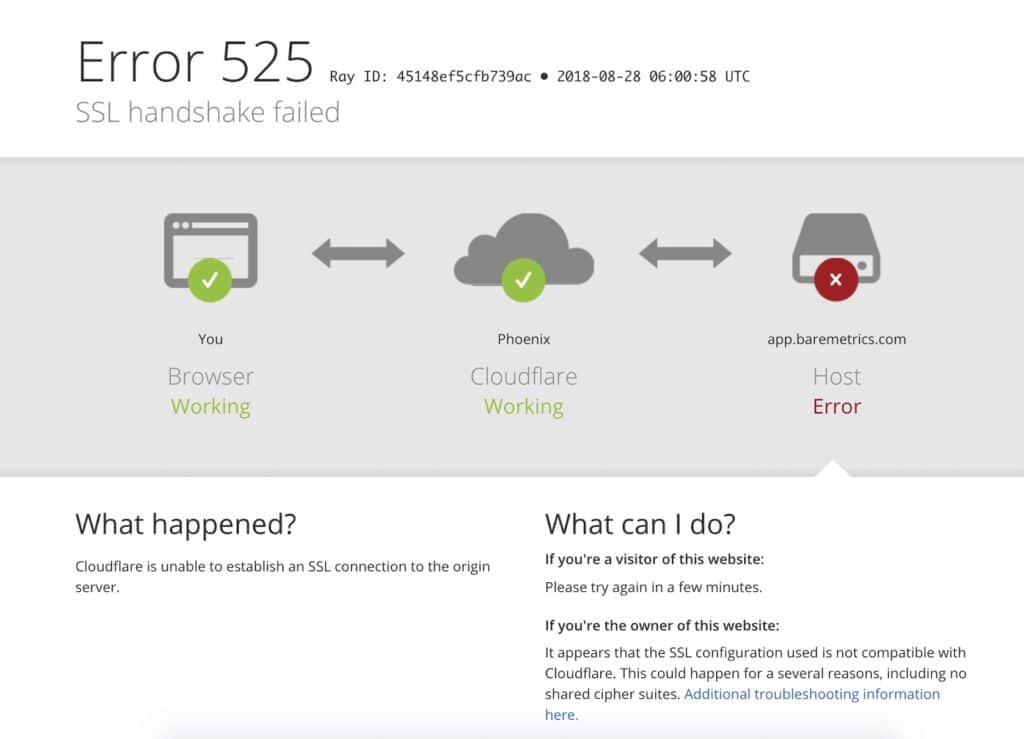
SSL handshake error issues can stop your website from loading securely, and as a result, they can harm both user experience and SEO performance. Therefore, fixing the issue quickly is critical to restoring HTTPS functionality and maintaining trust.
An SSL handshake error occurs when a browser and server fail to establish a secure connection. In most cases, this failure happens due to certificate issues, protocol mismatches, or server misconfigurations. Consequently, identifying the root cause is the first step toward resolving the problem.
To begin with, you should confirm where the error appears. For instance, check whether it happens in a browser, an API request, or a specific device. In addition, note the exact error message such as “525 SSL handshake failed” or “ERR_SSL_VERSION_OR_CIPHER_MISMATCH.” This detail helps narrow down the cause quickly.
Next, check your SSL certificate. Ensure that it is valid, not expired, and correctly matches your domain name. For example, if your certificate only covers the www version of your site, then the non-www version may fail. Therefore, always verify domain coverage and certificate validity.
After that, confirm your system date and time. Incorrect time settings can break SSL validation. For instance, if your server or device has the wrong date, then the browser may reject the certificate. As a result, always ensure that time synchronization is enabled.
You should also test your SSL configuration. Using command-line tools can help identify issues in the certificate chain or protocol setup. For example, running an SSL test can reveal missing intermediate certificates or handshake failures. Therefore, this step is essential for deeper troubleshooting.
Another common issue involves the certificate chain. In many cases, users install only the main certificate and forget the intermediate bundle. Consequently, some browsers or services fail to verify the connection. To fix this, ensure that the full certificate chain is installed correctly on your server.
At the same time, check your TLS settings. Modern browsers require TLS 1.2 or TLS 1.3. If your server still uses outdated versions like TLS 1.0, then the handshake will fail. Therefore, updating your TLS configuration is necessary for compatibility.
In addition, review your cipher settings. If your server uses weak or unsupported ciphers, then secure connections may fail. As a result, configure your server to use strong and widely supported cipher suites.
If your website uses Cloudflare, then you must check your SSL mode. For example, if Cloudflare is set to Full (strict) but your origin server lacks a valid certificate, then the connection will fail. Therefore, ensure that your SSL mode matches your server configuration.
Moreover, if needed, install a valid SSL certificate on your origin server. You can use services like Let’s Encrypt to generate free certificates. As a result, you can secure your connection and avoid handshake failures.
Next, review your redirect rules. Incorrect redirects between HTTP and HTTPS can create loops or conflicts. Therefore, ensure that your server or application handles redirects correctly and consistently.
At the same time, check your firewall and security settings. Sometimes, firewalls or security tools block HTTPS traffic. As a result, the handshake process cannot complete. Therefore, confirm that port 443 is open and accessible.
After making changes, restart your web server. This step ensures that all new configurations take effect. Otherwise, the server may continue using outdated settings, and the SSL handshake error may persist.
In addition, clear your cache. Both browser and CDN caches can store old SSL states. Therefore, clearing them ensures that your changes are properly reflected during testing.
Finally, test your website across multiple devices and networks. This step helps confirm whether the issue has been fully resolved. For instance, testing on mobile and desktop can reveal device-specific problems.
In summary, resolving an SSL handshake error requires a systematic approach. First, identify the cause. Then, fix certificate issues, update TLS settings, and review server configurations. As a result, your website will regain secure connectivity and maintain user trust.
Ultimately, preventing future SSL handshake error issues depends on regular maintenance. Therefore, keep certificates updated, monitor server configurations, and stay aligned with modern security standards.