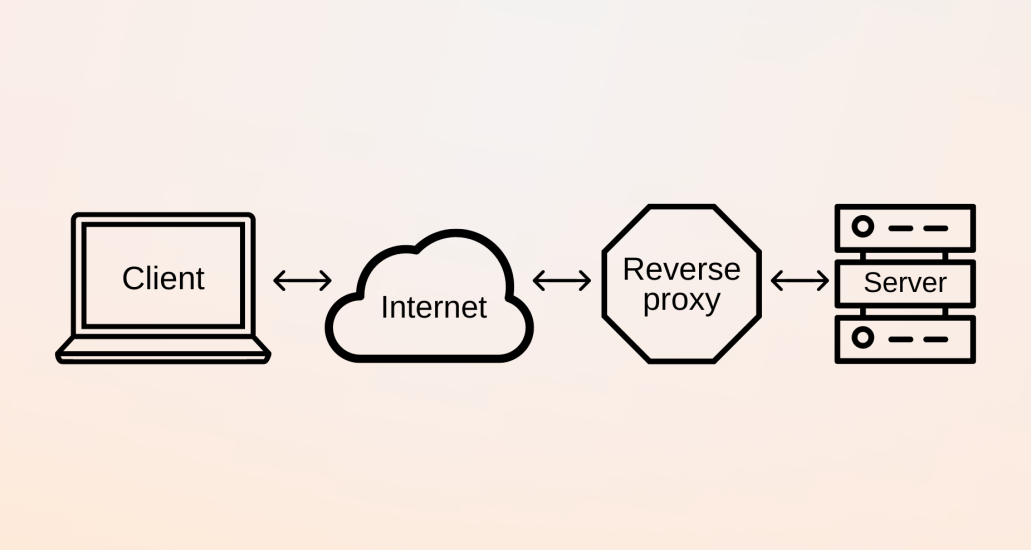
To point DNS from Cloudflare to your hosting, you need to connect your domain to your server using the correct DNS records. As a result, your website will load from your hosting provider while Cloudflare manages security and performance.
This process is simple if you follow each step carefully. Therefore, this guide walks you through everything you need to do.
First, log in to your Cloudflare account. Then, select the domain you want to connect. Once inside the dashboard, go to the DNS section. This is where all domain records are managed.
Next, you need your hosting server details. Your hosting provider will give you one of the following:
- an IP address (for example: 192.168.1.1)
- or nameservers (for example: ns1.host.com, ns2.host.com)
Therefore, confirm this information from your hosting dashboard or welcome email.
If your hosting uses an IP address, then you should create or update an A record. In Cloudflare DNS, click “Add Record.” Then choose:
- Type: A
- Name: @ (for main domain)
- IPv4 address: your hosting IP
- Proxy status: Proxied (recommended)
As a result, your root domain will point to your hosting server.
After that, add a record for the www version. Again, click “Add Record” and set:
- Type: CNAME
- Name: www
- Target: yourdomain.com
This ensures that both www and non-www versions work correctly. Therefore, your website will load consistently.
If your hosting uses nameservers instead, then the process is different. In that case, you must change nameservers at your domain registrar. However, if you already use Cloudflare, you should not replace its nameservers. Instead, you must manually add DNS records provided by your host.
At the same time, confirm that your hosting account is ready. For example, ensure that:
- your domain is added in cPanel or hosting dashboard
- your website files are uploaded
- your server is active
Otherwise, even if you point DNS from Cloudflare, the website may not load.
In addition, check SSL settings. Go to Cloudflare SSL/TLS settings and choose the correct mode:
- Flexible if your server has no SSL
- Full if your server has SSL
- Full (strict) if your SSL is valid and trusted
Therefore, matching SSL settings prevents connection errors.
Moreover, allow time for DNS propagation. Although Cloudflare updates quickly, changes may still take a few minutes. In some cases, it can take up to 24 hours globally. Therefore, be patient and test after a short wait.
You should also verify your setup. Open your domain in a browser. If everything works, your site should load from your hosting. If not, check for errors such as:
- incorrect IP address
- missing DNS records
- SSL mismatch
- inactive hosting account
In addition, you can use tools like DNS checkers to confirm your domain resolves correctly.
Another important step involves clearing cache. Sometimes Cloudflare or your browser stores old data. Therefore, clear cache or use incognito mode when testing changes.
If you use WordPress, then update your site URL. Go to settings and ensure both URLs use your domain with HTTPS. As a result, your site will load correctly without redirect issues.
Furthermore, review redirect rules. Incorrect redirects between HTTP and HTTPS can break your setup. Therefore, ensure your configuration is clean and consistent.
In summary, to point DNS from Cloudflare, you must:
- add correct A or CNAME records
- ensure hosting is active
- match SSL settings
- verify domain setup
- test and clear cache
As a result, your domain will connect smoothly to your hosting.
Ultimately, learning how to point DNS from Cloudflare is essential for managing websites efficiently. Once configured correctly, Cloudflare will enhance your site’s speed, security, and reliability while your hosting delivers the content.